
Jam keyboard
The jam keyboard turns your Launchpads into a keyboard that you play through a trig pattern. Hold notes on the keyboard, and they play on every trig of a 16-step pattern along the top row. Nothing sounds when you press a key: the trigs place the notes, so what you play lands in time even when latency makes playing in time hard. Hold a chord and edit the trigs underneath it, and the part changes while you keep holding.
What you see on the Launchpads
Both of your Launchpads show the same layout: the trig pattern along the top row, and the keyboard on the seven rows below it.
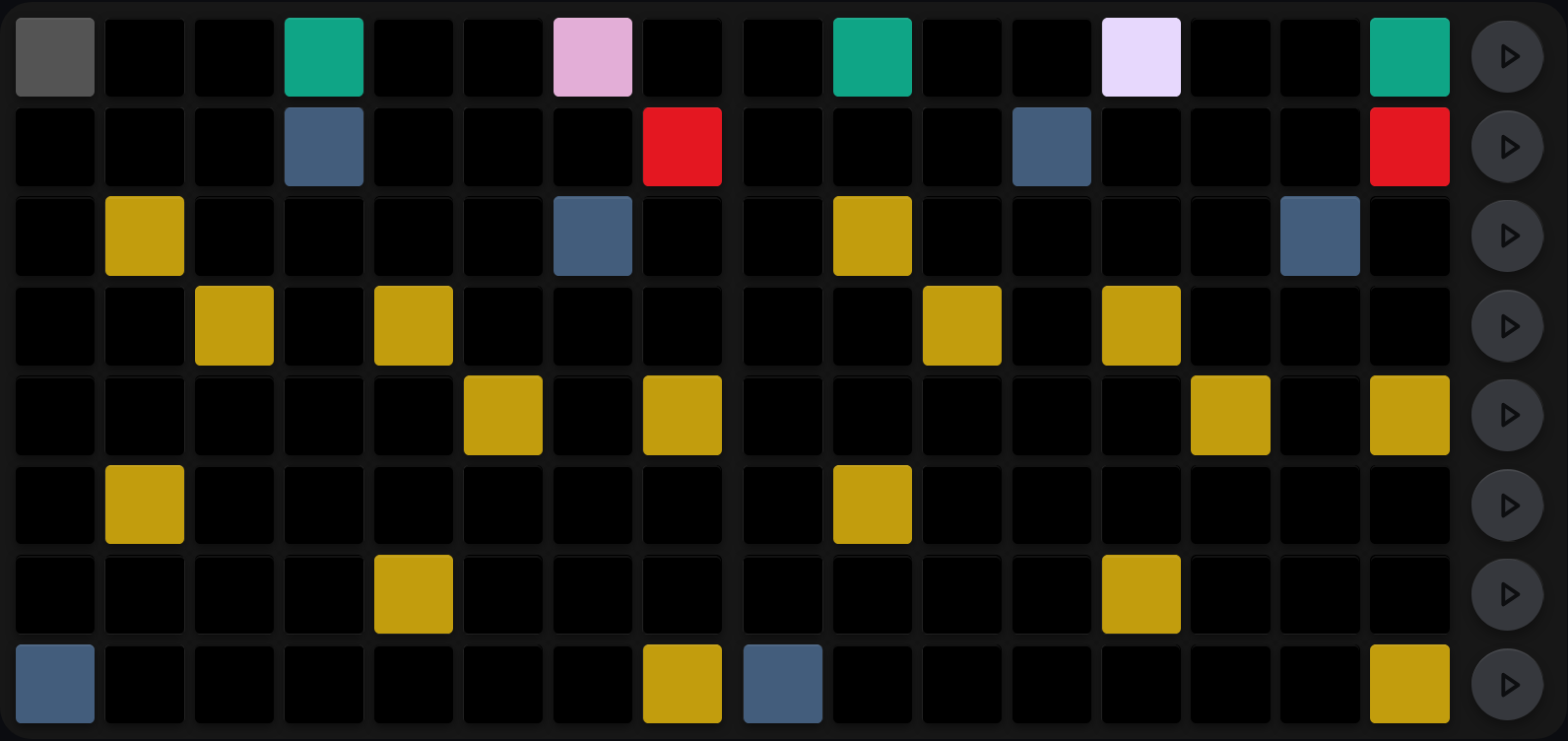
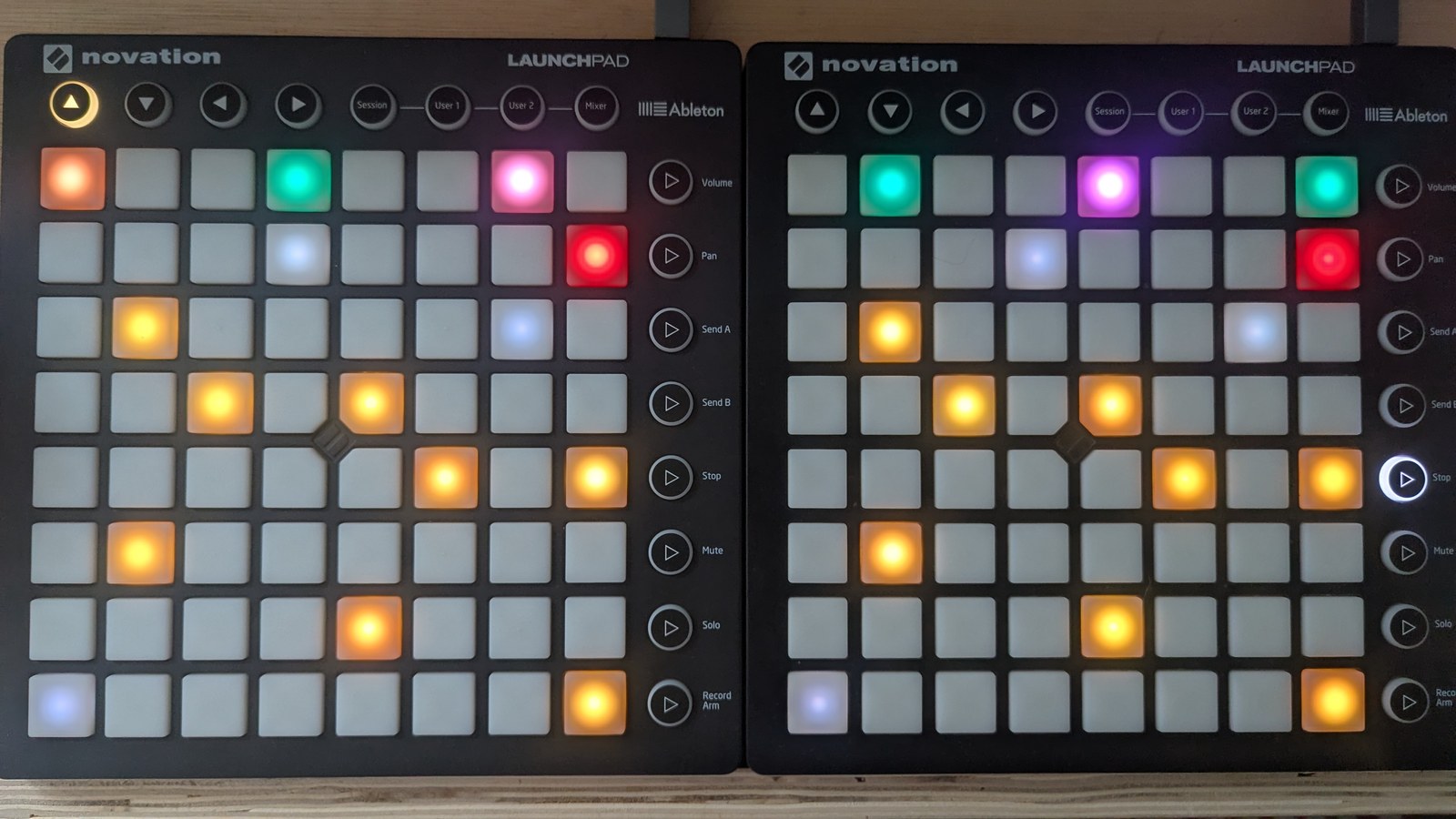
An eight-note shape held across the keyboard and locked with the freeze toggle. The mustard notes and remaining slate octave markers repeat identically on both pads, because each LP carries the whole keyboard. The red pad at the right of row 7 says freeze is locked. Across the top, five trig-status pads are lit; step 1 is separately washed out under the playhead.
The top row: trig pattern
The top row holds a 16-step trig pattern, split across your two Launchpads the same way the trig view splits its steps: steps 1 to 8 on your LHS, 9 to 16 on your RHS. Both players edit the same pattern.
These trigs behave exactly like the ones in the trig view: every trig status, and the LaunchControl modifiers that set them, work the same way here, except Euclidean (8B). Reset and randomise work too, and act on the whole pattern. The LaunchControl arrows rotate it one step at a time, but here they rewrite the pattern in place, so SHIFT + MUTE and SHIFT + SOLO with an arrow do nothing.
The bottom seven rows: keyboard
The seven rows below the trig pattern are a keyboard in the current key and scale, spanning about four octaves. Each Launchpad shows the whole keyboard, not half of it, so either hand can reach every note. The layout is the same as the keyboard in the note arp view, so a shape you learn in one transposes to the other.
The pad that starts each octave is highlighted, so you can find your place at a glance, and held notes light up in the colour of the octave you are on. The last pad of row 7 is not a key: it is the freeze pad, off-white when unlocked and red when locked.
How to play
Pick an octave on the LaunchControl first: hold MUTE and press the sequencer’s button in the LaunchControl’s top row of buttons to go up an octave, or in its bottom row to go down. The keyboard octave runs from 0 to +8 (see Mutes and row states and LaunchControl bottom row). Then hold keys on the keyboard. Every held note plays on each trig of the pattern, and stops as soon as you let go of its key. Both players, and both of each player’s Launchpads, play into the same set of held notes, so a note pressed in two places keeps playing until the last of them is released.
Freeze
Press the freeze pad to lock the notes you are holding, so you can take your hands off the keyboard and keep the part playing. Press it again to unlock, which releases every held note. Pressing a new key while locked also unlocks, and starts a fresh set of held notes. Freeze stays locked when you change view or edit the trigs.
Cross-references
- Trigs: the trig statuses and the modifiers that set them
- pattern-rotation.md: rotating a trig pattern with the LaunchControl arrows
- Note arp: the same keyboard layout, used to write note arps
- LaunchControl bottom row: octave shifts on the LaunchControl
- Selecting sequencers and views: how to bring the jam keyboard onto a Launchpad