
Key and following
How each sequencer follows the chord progression: the key every chord is built in, which sequencers follow at all, and how fast each one walks the progression. Which notes of a chord each sequencer plays is on Voicing and modulation.
Chord options view
The chord options view is the global tonal centre control. It sets the root note, the scale (minor or major) and the chord-adjustment mode used by every chord-following sequencer, and additionally hosts the per-sequencer CP-follow toggle. Each chord is built from the root note and scale set here, the chord degree the progression names for the current bar, and the chord-adjustment mode.
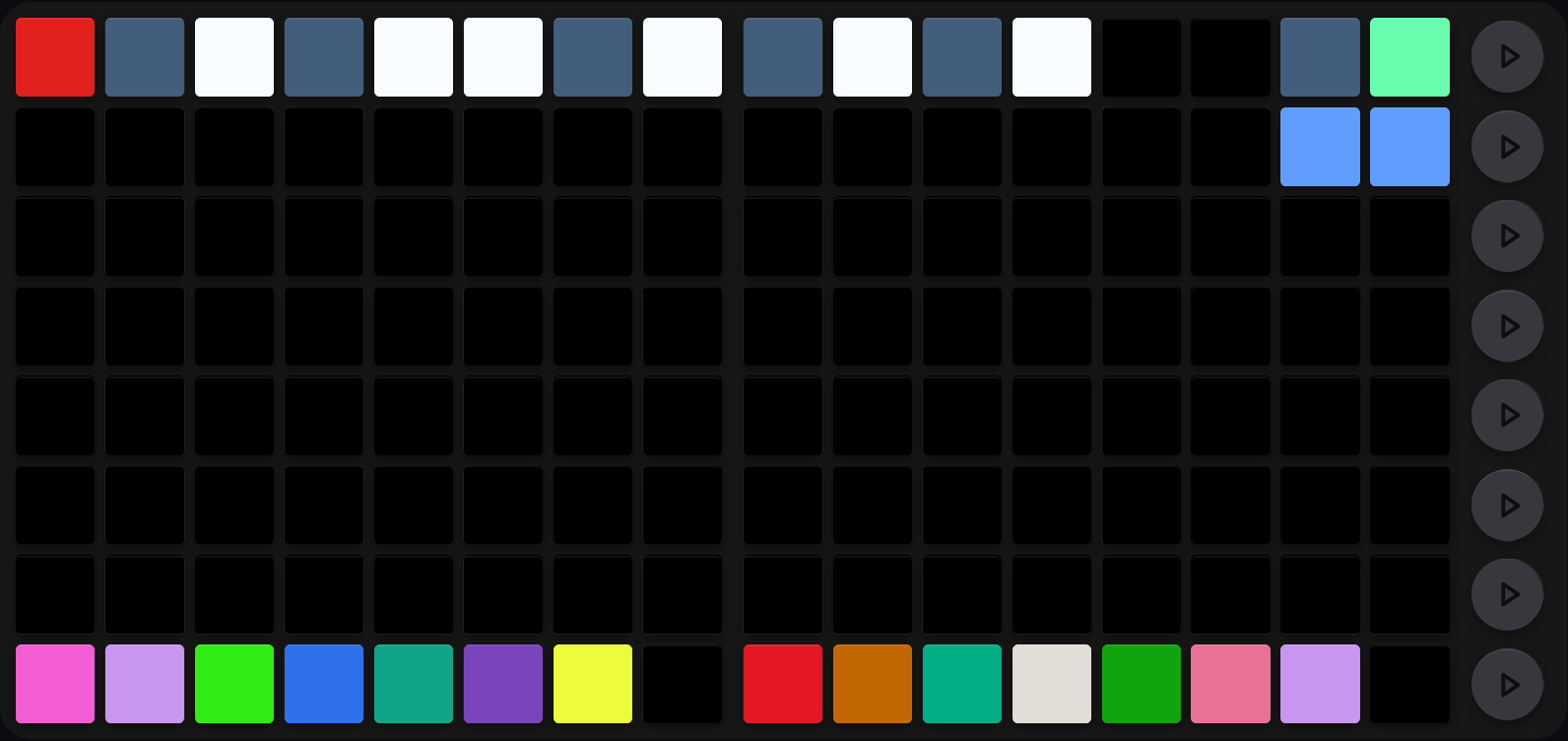
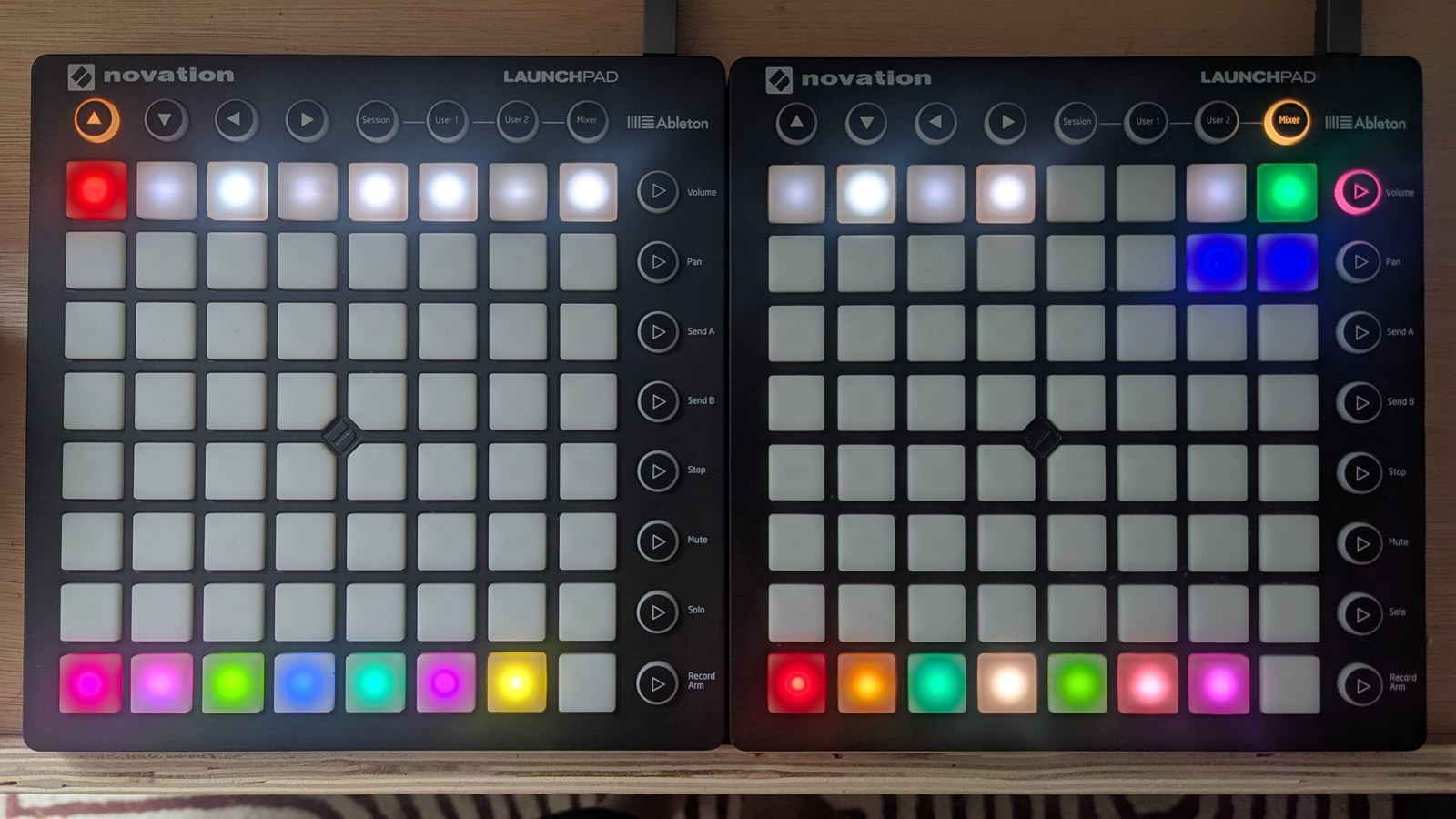
The top row is a keyboard, with white keys white and black keys slate, and the selected root lit red (C here). The bottom row is the CP-follow toggle, one pad per sequencer: lit in that sequencer’s own colour when it follows the progression, and slate when it does not, so this rig has every sequencer following. The mint-green pad at the top of the RHS LP selects minor. The two blue pads beneath it show that both the major and minor chord-adjustment selectors are in Adjusted mode.
Where it lives: On the meta-sequencer (sequencer 16), shared across both players.
Chord-root strip (row 8)
12 cells across both LPs select the root note, laid out as a piano octave. LHS row 8 cols 1–8 are roots 0–7; RHS row 8 cols 1–4 are roots 8–11. The selected root is lit bright, the other white keys sit near-white and the black keys (C♯, D♯, F♯, G♯, A♯) are slate, so the strip reads as a keyboard rather than a flat row.
Scale mode (RHS rows 7–8 cols 7–8)
Row 8 cols 7–8 select major or minor. Major lights col 7 yellow and leaves col 8 slate; minor lights col 8 mint green and leaves col 7 slate. A scale change immediately re-voices all chord-following sequencers and refreshes every scale-aware view at once.
Chord adjustment (RHS row 7 cols 7–8)
The chord-adjustment mode decides how a chord is coloured once it is built, offsetting individual rows so a chord is voiced rather than stacked straight up the scale. It changes the character of every progression, so it is worth setting deliberately.
Col 7 sets the mode used in major, col 8 the mode used in minor. Each press cycles through the three:
| Colour | Mode | What you hear |
|---|---|---|
| Dark | Plain | No adjustment; chords plane chromatically. |
| Blue | Adjusted | Hand-tuned colouring, the default character. |
| Purple | Diatonic | Exact diatonic chords, note arps harmonised to match. |
Diatonic mode keeps chord progressions and moving note arps strictly in scale. See Note arp for how it affects arps. Adjustment-mode changes apply on the next clock tick.
CP toggle (row 1)
Row 1 holds one cell per chord-following sequencer. LHS cols 1–7 are sequencers 1–7; RHS cols 1–7 are sequencers 9–15 (sequencer 8 and sequencer 16 have no CP toggle and stay dark). Off is slate grey; on is that sequencer’s own colour. See Chord progression toggle.
Chord clock division
Each sequencer has an independent chord-progression advance rate, and the chord clock division view is where you set it. The rate decides how fast that sequencer walks through the 16-bar progression grid, independent of its note-clock division.
Where it lives: On the meta-sequencer (sequencer 16). The view shows a per-sequencer rate selector on both LPs, and both LPs stay in sync.
Edit gesture: One LP press per row. The column you press sets that row’s sequencer to that rate.
| Rate | Step divisor | Chord changes |
|---|---|---|
| 1 | 128 | Every ~8 bars |
| 2 | 64 | Every 4 bars |
| 3 | 32 | Every 2 bars |
| 4 (default) | 16 | Every bar |
| 5 | 8 | Every half bar (8 steps) |
| 6 | 4 | Every quarter bar (4 steps) |
| 7 | 2 | Every 2 steps |
| 8 | 1 | Every step |
Rates 1–4 produce bar-constant chords (the chord is stable within each bar). Rates 5–8 advance the chord within a bar: useful for chord-arpeggiation effects where each step of a bar lands on a different progression slot.
Cross-references
- Chord progression: what following the progression does to a sequence, and writing the progression itself, bar by bar, with its inversions
- Voicing and modulation: which notes of a chord each sequencer plays
- Toggle views: the CP-follow toggle, documented alongside the other toggles
- Note arp: how diatonic mode affects moving note arps
- Reset and randomise: chord options and chord clock division deliberately ignore the reset and randomise gestures