
Voicing and modulation
Two per-sequencer layers that sit on top of the shared progression: the voicing mask, which decides which notes of a chord a sequencer plays, and the modulator, which shifts which chord it plays on each bar. The progression they both read is on Chord progression.
Chord edit
Chord edit is the per-sequencer voicing mask. While the chord progression decides which chord plays on each bar, chord edit decides which of that chord’s 8 scale-row notes that sequencer actually plays. Each chord-following sequencer has its own mask, so a sequencer driving a bass can play just the root, while one driving a pad synth plays all eight rows.
Where it lives: On the meta-sequencer (sequencer 16). Both players see the same view, and both players’ edits land on the same masks.
Layout. 8 rows × 16 columns across the two LPs, one column per chord-following sequencer: LHS columns 1–7 are sequencers 1–7, RHS columns 1–4 and 7 are sequencers 9–12 and 15. Column 8 of each LP is blank, and so are the columns of any sequencer that cannot follow the progression. Pressing a pad toggles whether that scale row contributes to the built chord for that sequencer.
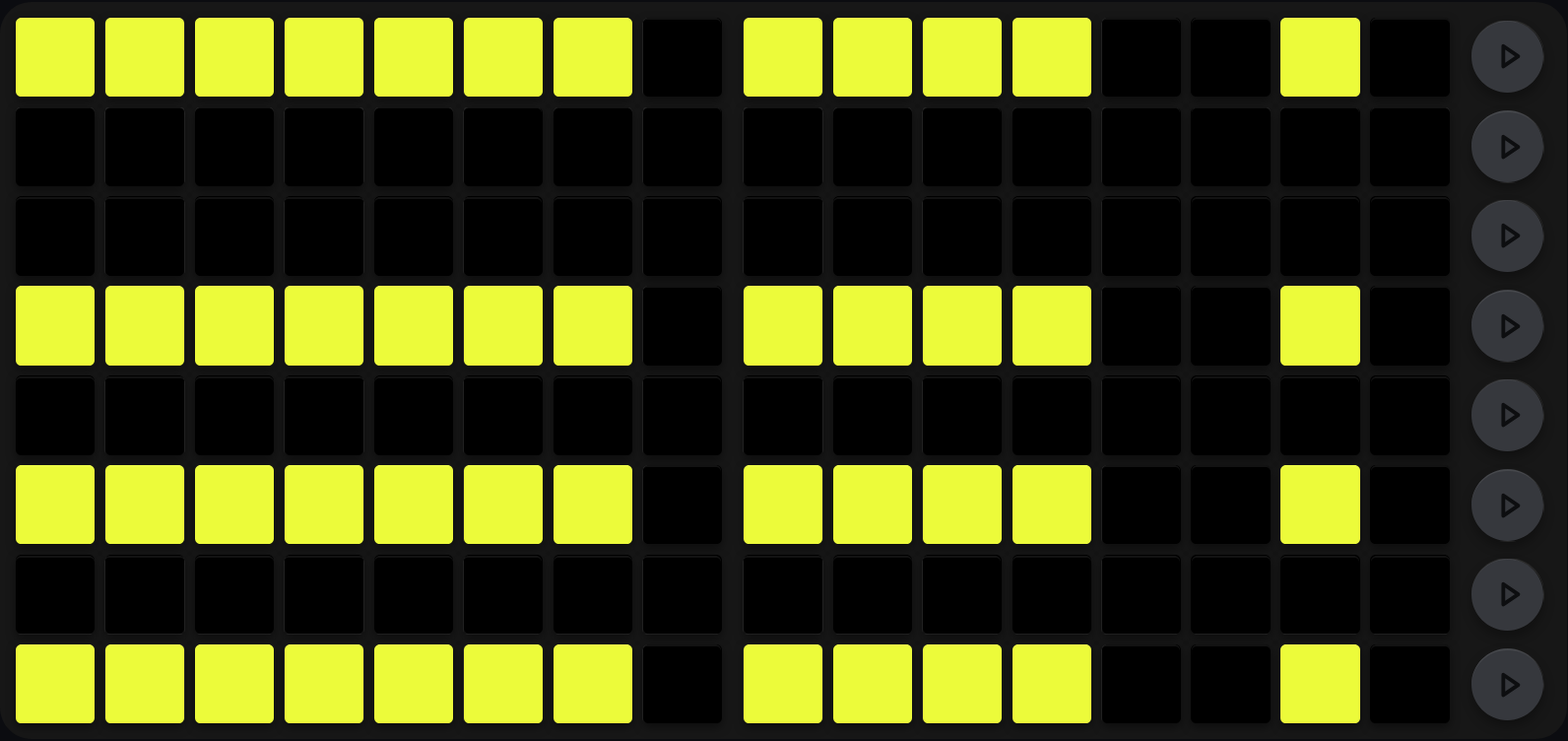
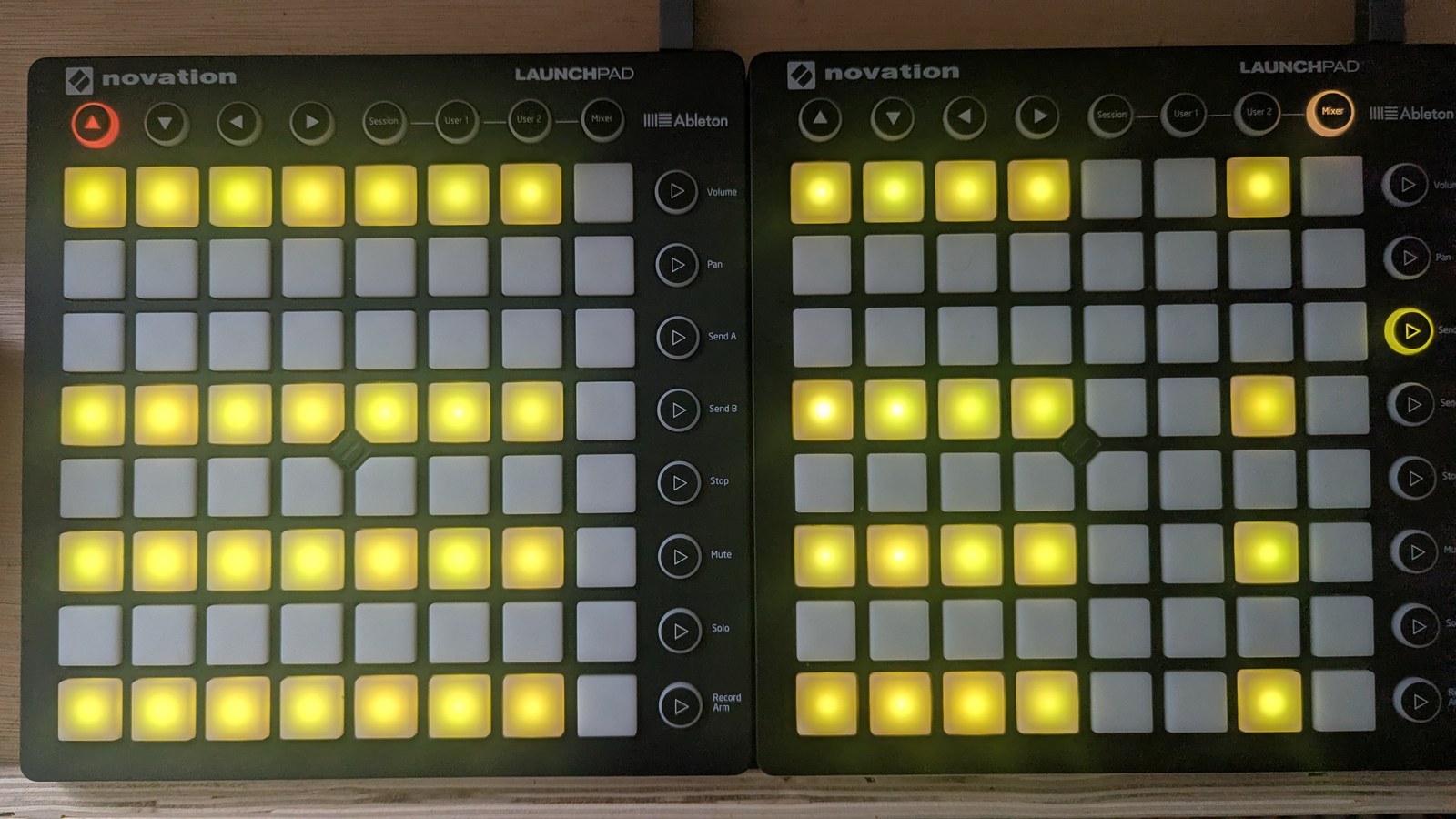
Every chord-following sequencer on the default voicing mask: scale rows 1, 4, 6 and 8 contribute, and the rest stay silent. The twelve populated columns therefore carry 48 lit cells. The unlit columns are the sequencers with no chord editor at all, so column 13 (the TR-8) never follows the progression.
- The top row of the LP is scale row 1, and the bottom row is scale row 8.
- An unlit cell silences that scale row for that sequencer even when the chord progression names it.
- Sequencers 1–7, 9–12 and 15 have a chord editor. The rest never follow the progression.
Edit gesture: A single LP press flips a cell. Lit cells are acid yellow, unlit cells dark. Both players can press independently, but they are editing the same mask.
Chord modulation
The chord progression interacts with per-sequencer chord modulation. Each sequencer can be set to modulate its chord automatically (e.g. per bar or per cycle), so the same global progression reads differently on each sequencer without you re-editing the grid.
Row octave sequencing (see Octave tree) combines well with the chord progression: the harmony stays where you put it while the register moves underneath it.
Chord progression modulator
The chord progression modulator (CPM) is a per-sequencer, per-bar diatonic transposition pattern that overlays the global chord progression. Each sequencer can specify, for each of the 16 bars, a scale-degree offset added to the chord-progression slot before the scale is looked up, so the resulting chord stays inside the active scale. This lets you keep the same global progression but have different sequencers ride different movement on each bar: for example a bass that drops by 2 degrees on bar 7, while the pad stays at 0.
Values are clamped to {−3, −2, −1, 0, +1, +2, +3} scale degrees. Wrapping past the 7th degree carries an octave (+12 / −12 semitones), so +3 from degree 5 = degree 1 one octave up.
Where it lives. Every sequencer has one modulator, and it sits at one of two positions on the column-9 view selector depending on the sequencer:
- Selector position 3. Sequencers 1, 4, 5, 7 and 10.
- Selector position 4. Sequencers 2, 3, 6, 9, 11 and 12.
That is all the split is: where the editor lives on your selector, so it sits alongside the other views each sequencer needs. There is one modulation pattern per sequencer either way.
Layout
The view is a 16-column × 8-row grid spanning the full pair of Launchpads (left LP = bars 1–8, right LP = bars 9–16). Two functional bands:
-
Bottom row (row 1, the “toggle row”): decides whether that bar modulates at all.
Status Meaning Off No CP modulation this bar On Always modulate this bar Percentage chance Modulate at the percentage chance Mod 1 Modulate on the first half of the 32-bar super-cycle Mod 2 Modulate on the second half of the super-cycle Each status has its own colour, matching the trig view’s vocabulary for the same ideas.
-
The seven rows above it (rows 2–8, the “value grid”): set the scale-degree offset applied when modulation is active for that bar. The seven rows are the discrete value set
{−3, −2, −1, 0, +1, +2, +3}, three degrees down through three degrees up, with zero on the middle row.This band reads as a bar growing out from the centre, not as a single lit cell. The middle row always carries a mustard centre marker, and the offset fills from it: downward in red for a negative value, upward in green for a positive one. So a bar reaching three rows below centre is
−3, and a column showing nothing but the centre marker is0. Height and direction both tell you the value, which is what makes a row of them readable at a glance.
Both bands are live together whenever you are in the view, so the whole 8×16 grid lights up at once.
Edit gesture
- Press a pad in the toggle row to cycle that bar’s status: off, on, percentage chance, mod 1, mod 2, and back to off.
- Press a pad in the value grid to set that bar’s scale-degree offset to the row you pressed.
Edits take effect on the next bar boundary. The grid repaints continuously while you are in the view, so it tracks the modulator without you re-pressing anything.
Reset / randomise
| Gesture | Effect |
|---|---|
| SHIFT + MUTE on the toggle row | All 16 bars → status on |
| SHIFT + MUTE on a value row | All 16 bars → modulation offset 0 (no shift) |
| SHIFT + SOLO on the toggle row | Each bar randomly → OFF or ON |
| SHIFT + SOLO on a value row | Each bar randomly → one of {−3, −2, −1, 0, +1, +2, +3} |
The gestures above are local to this view. See Reset and randomise for the reset and randomise model in general.
Cross-references
- Chord progression: the shared progression these two layers modify
- Key and following: root note, scale and how a chord is built
- Octave tree: row-octave sequencing, which stacks with both
- Reset and randomise: the full reset/randomise matrix