
Chord progression
The chord progression view lets you sequence which chord plays on each bar of the 16-bar cycle, and optionally apply an inversion to each chord. It is displayed on the Launchpad and shared across both players. Around it you can:
- Choose which sequencers follow the progression with the CP toggle.
- Set how fast the progression applies to each sequencer, per sequencer, with chord clock division.
- Set the key the chords are built in (root note and scale) in the chord options view.
What it does to a sequence
Those sequencers that are set to follow the chord progression will have the notes of their sequence transposed in line with the chord progression. This allows you to imply different chords while still keeping the same rhythm and spirit of the original sequence.
For example, say you have a sequence that plays C E G F on repeat (the 1st, 3rd, 5th and 4th degrees of the scale). The rows that follow the progression will be transposed, and the rows that don’t will remain stationary. With the 1st, 3rd and 5th following and the 4th staying put, transposing to the fifth chord (G) turns that phrase into G B D F.
Same pattern, same groove, different chord. Following is set at two levels:
- Per sequencer: the CP toggle switches a sequencer’s following on or off as a whole.
- Per row: Chord Edit picks which of a following sequencer’s 8 scale rows move with the chord. In the example above, that is what keeps the 4th row stationary.
Each chord is built from the root note and scale, the chord degree the progression names for the current bar, and the chord-adjustment mode.
What you see and how to edit it
The view is a 16-column × 8-row grid across both Launchpads: bars 1–8 on the LHS LP, bars 9–16 on the RHS LP.
- Columns are the 16 bars of the cycle, left to right.
- Rows are the 8 chords of the current scale, chord 1 at the bottom and chord 8 at the top.
The lit pad in each column is the chord that plays on that bar, and its colour is the inversion applied to it. The bar playing now lights magenta, whatever its inversion.
Press a pad to set that bar’s chord to the row you pressed. Hold a button on the LaunchControl as you press to set the bar’s inversion at the same time:
| Colour | Inversion | Button held |
|---|---|---|
| White (bright) | No inversion: root position | (none) |
| Mustard | Third inversion: the third of the chord moves to the bass | SHIFT |
| Red | Fifth inversion: the fifth of the chord moves to the bass | MUTE |
| Blue | Random inversion: randomly drops a selection of active chord notes by one octave on each bar, producing an unpredictable chord voicing | SOLO |
| Green | Mixed random: randomly picks third inversion (35%), fifth inversion (35%), or a random-inversion voicing (30%) on each bar; root position is never used | REC ARM |
A plain press always sets root position, so to clear a bar’s inversion, press its pad again with no button held. Hold SHIFT + MUTE or SHIFT + SOLO and press to reset or randomise the whole progression (see Reset and randomise).
Each player can edit the progression independently; changes take effect immediately on the shared progression.
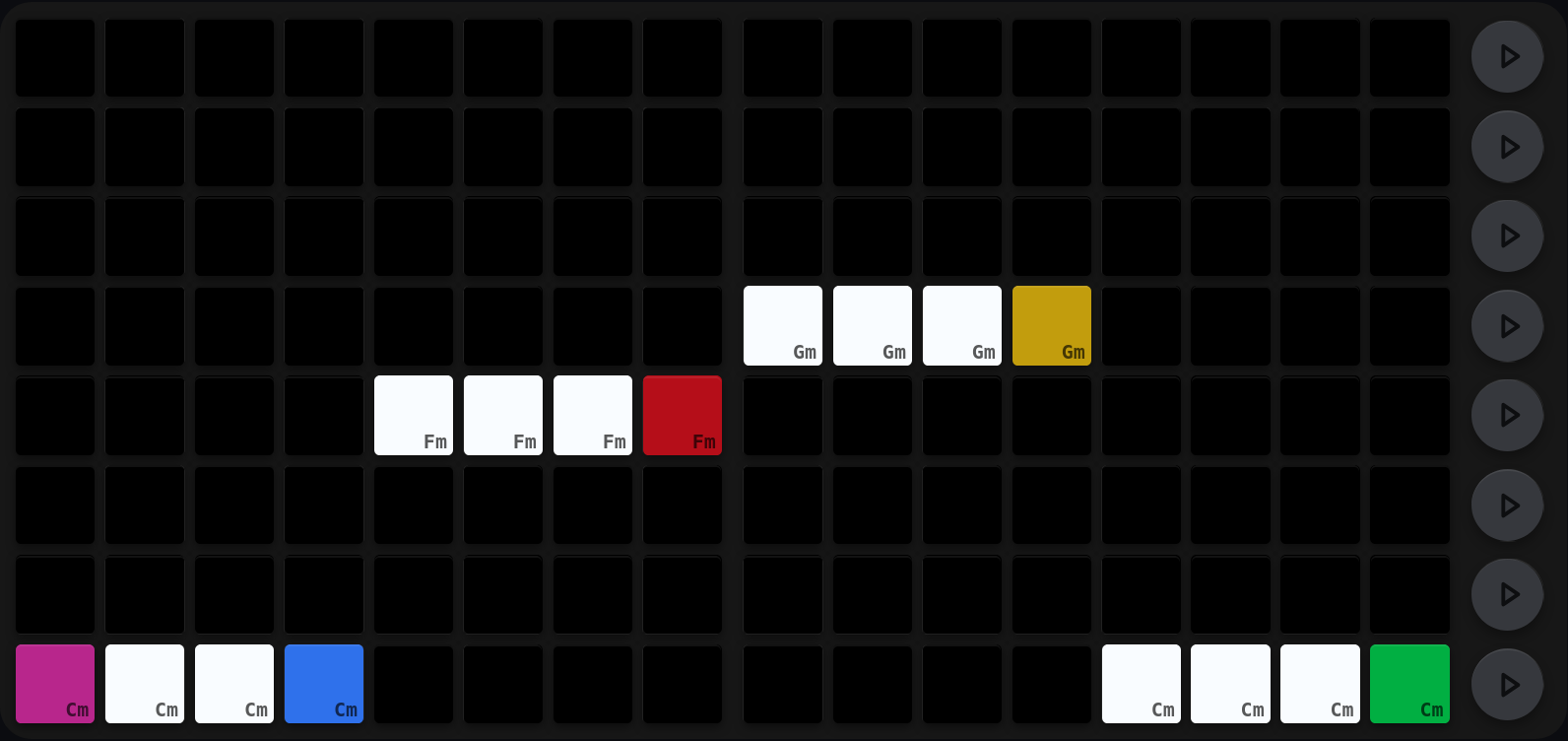
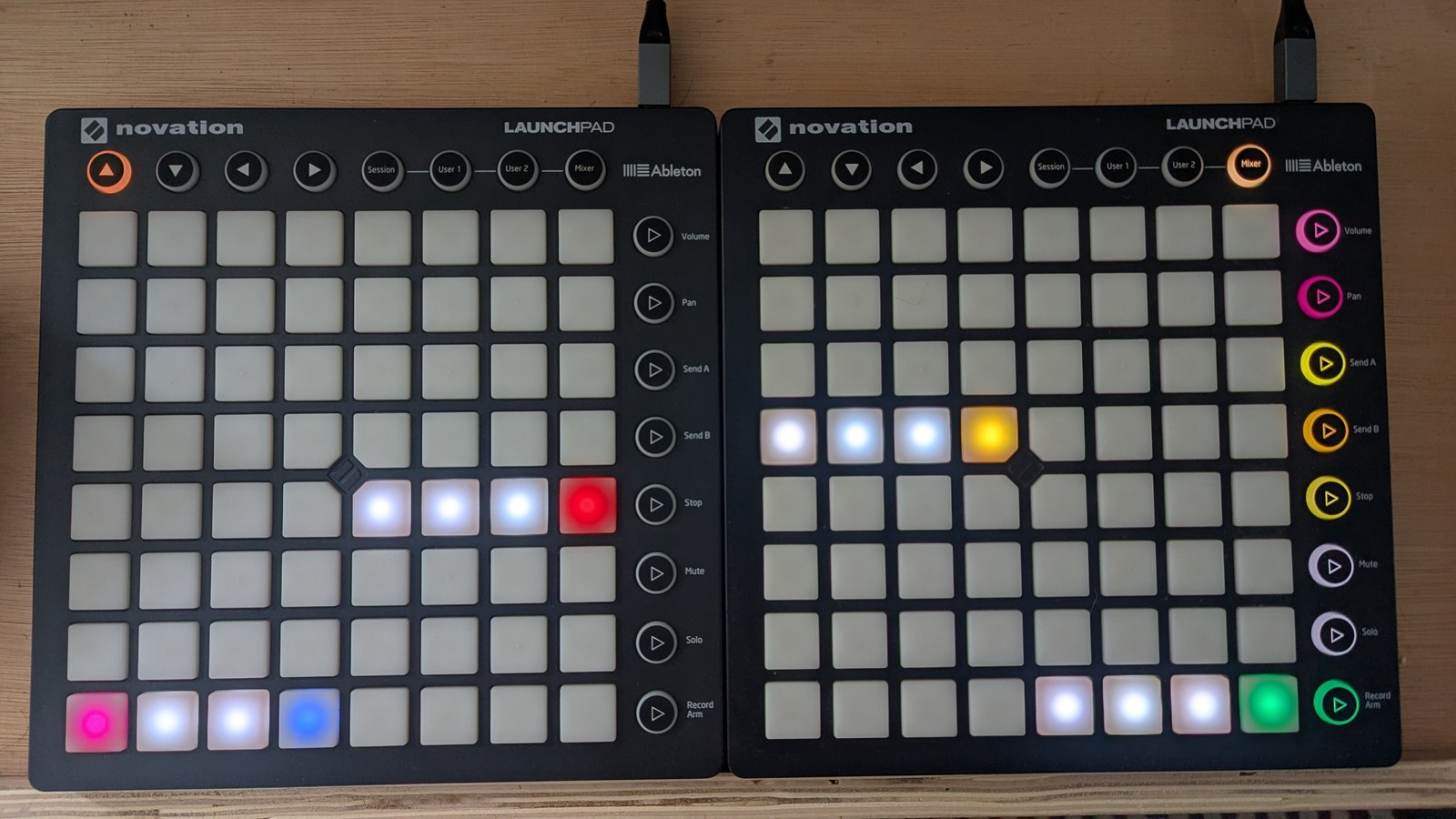
A i-iv-v-i loop, four bars to a chord. Height is the chord, and the blocks make it readable at a glance: the tonic on the bottom row, the fourth three rows up, the fifth just above that, then back down to the tonic. The last bar of each block carries an inversion, which is what the colours are for: blue closes the first tonic block, red the fourth, mustard the fifth and green the last. Everything else sits in root-position white. The pink pad at bar 1 is not an inversion, it is the bar playing right now.
Notes
- The chord progression is global: every sequencer that follows it reads the same chords and the same inversions, each at its own chord clock division rate.
Cross-references
- Key and following: the key, which sequencers follow the progression, and how fast each walks it
- Voicing and modulation: chord edit and the per-bar chord modulator
- Trigs: the trig view, where a chord-following sequencer plays its chords
- Reset and randomise: the full reset/randomise matrix. The chord progression grid is the only chord view that answers those gestures; chord options, chord edit and chord clock division all ignore them deliberately, being either too disruptive or a single value