
CC assignments
Which CC message each CC pattern sends. These are fully customisable using the MIDI Guide dataset by Pencil Research (see Setting up your own), but we have some defaults that fit the synths we have (see Default CC arps).
How to write and edit the patterns that drive these rows is on CC arps.
Setting up your own
CC assignment happens in the browser, on the webapp’s CC mapping page, reached from Settings. You do not need to know your synth’s CC numbers: the page carries a MIDI CC database covering several hundred instruments, so you pick your synth by name and then pick the parameter by name.
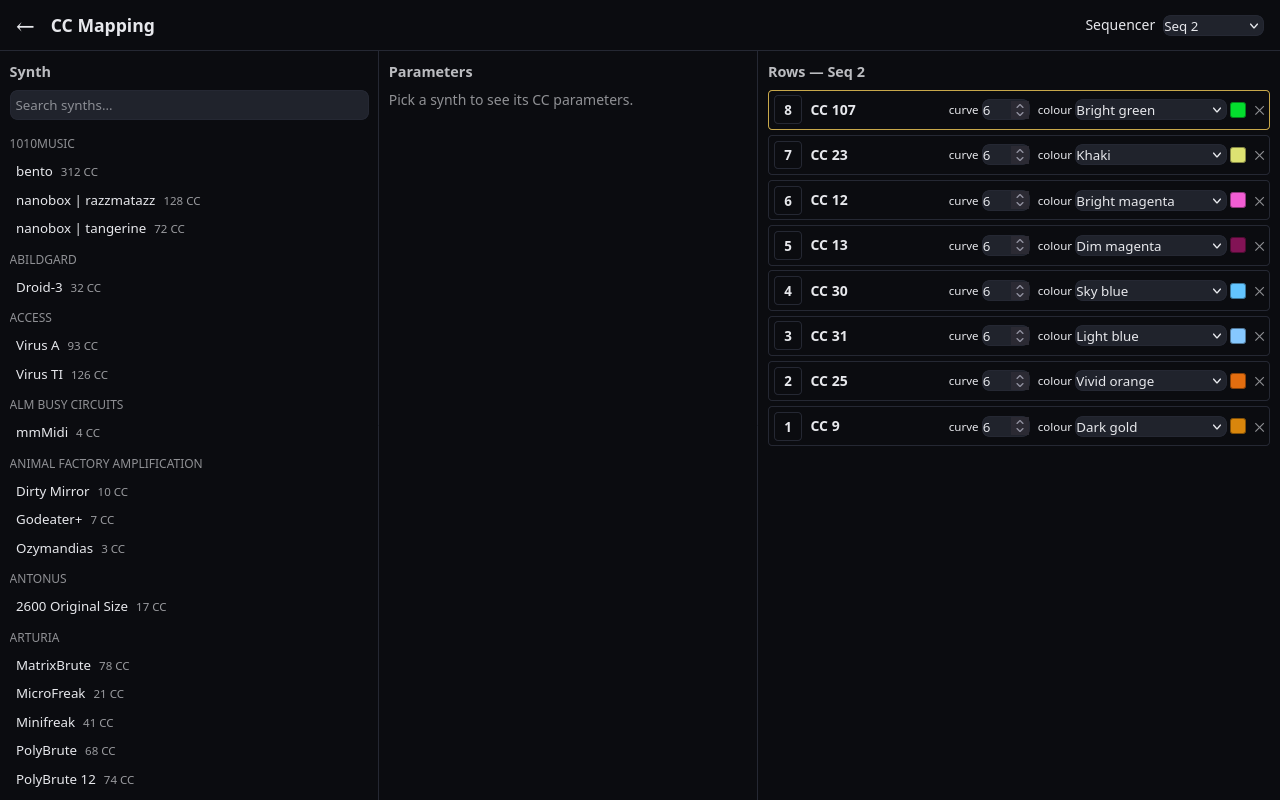
The page is three panels, left to right, and you work across them:
- Synth. Search for your instrument and select it. If it is not in the database, add it under Custom (not listed) at the top of the list, as described in Custom CC values below.
- Parameters. The instrument’s parameters, grouped the way its own manual groups them, each showing its CC number. Tapping one assigns it to the row you are targeting.
- Rows. The sequencer’s eight CC-arp rows, in Launchpad order: row 8 at
the top, row 1 at the bottom.
- Tap a row’s number to target it, then tap a parameter to fill it.
- Curve sets how the row’s values map to CC values (see CC arps).
- Colour sets how the row is drawn on the grid.
- Both start from the kind of parameter you assigned, and you can change either.
- ✕ clears the row.
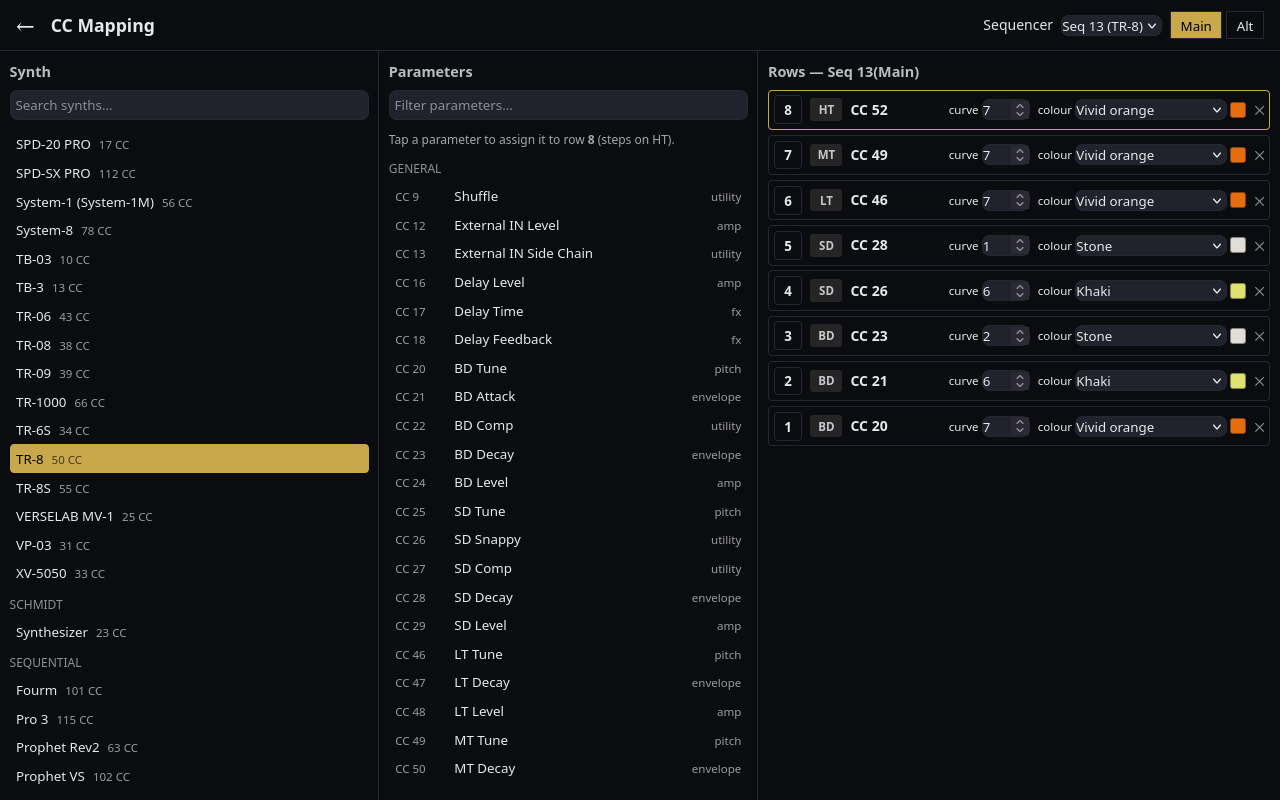
Sequencer 13 is the drum sequencer and gets a Main / Alt switch beside the sequencer picker, because its two kits carry two separate sets of eight rows.
Each drum row also shows a voice label (BD, SD, HT and so on) beside its number. The row’s arp steps on that voice’s trigs, so row 1 of Main moves only when the kick plays. You can change a drum row’s CC but not its voice: put CY Decay on row 1 and the cymbal decay changes on kick hits. The Default CC arps tables list the voice for every row.
Custom CC values
The database cannot list everything you might send CCs to: an Ableton instrument rack, a Max or Pd patch, a synth too new or too rare to be in it. Describe it yourself and it then works exactly like a listed synth.
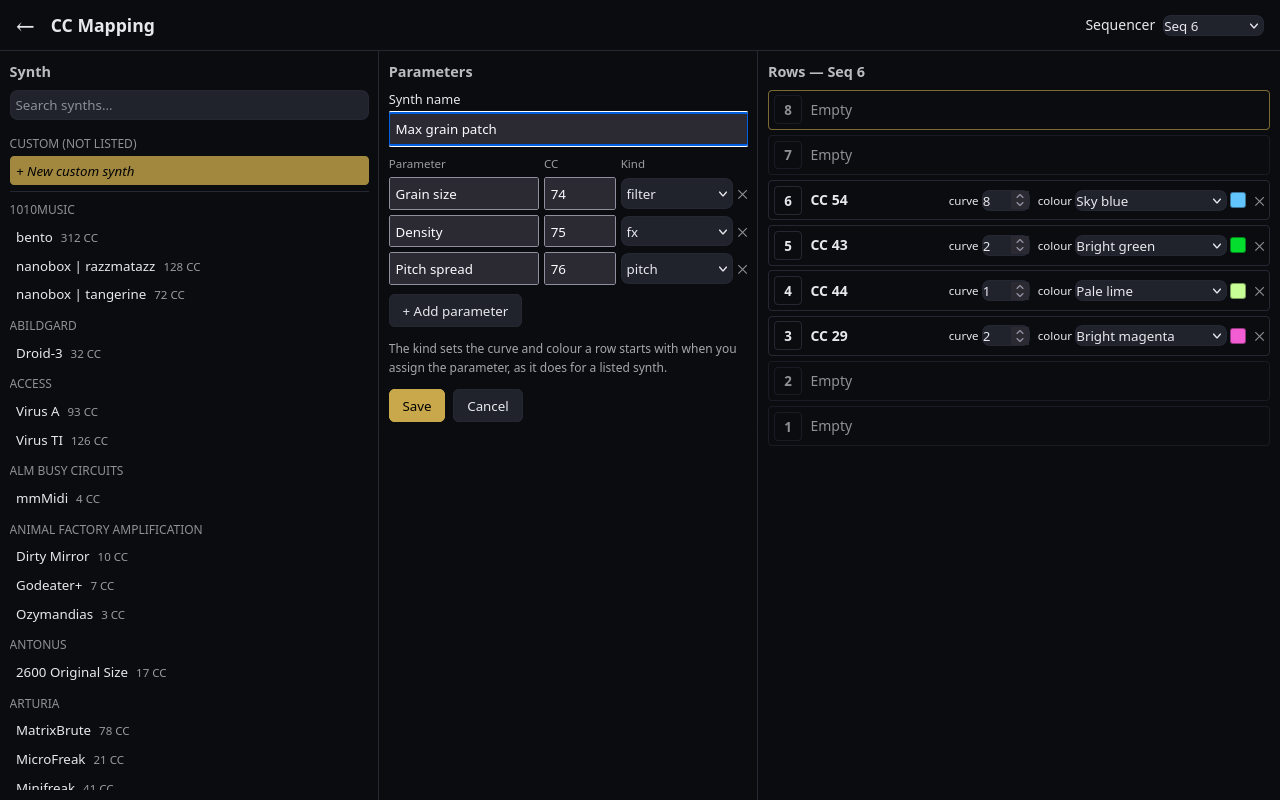
- Tap + New custom synth at the top of the synth list.
- Give it a name.
- Add a line for each parameter you want to reach: a name, its CC (a whole number from 0 to 127) and its kind. The kind is the same one the database gives its parameters (filter, envelope, pitch and so on), and it sets the curve and colour a row starts with when you assign the parameter. The name is optional; an unnamed parameter goes by its CC number. + Add parameter adds a line and ✕ removes one.
- Tap Save. The page refuses to save while a CC is out of range or the synth has no name, and lists what needs fixing.
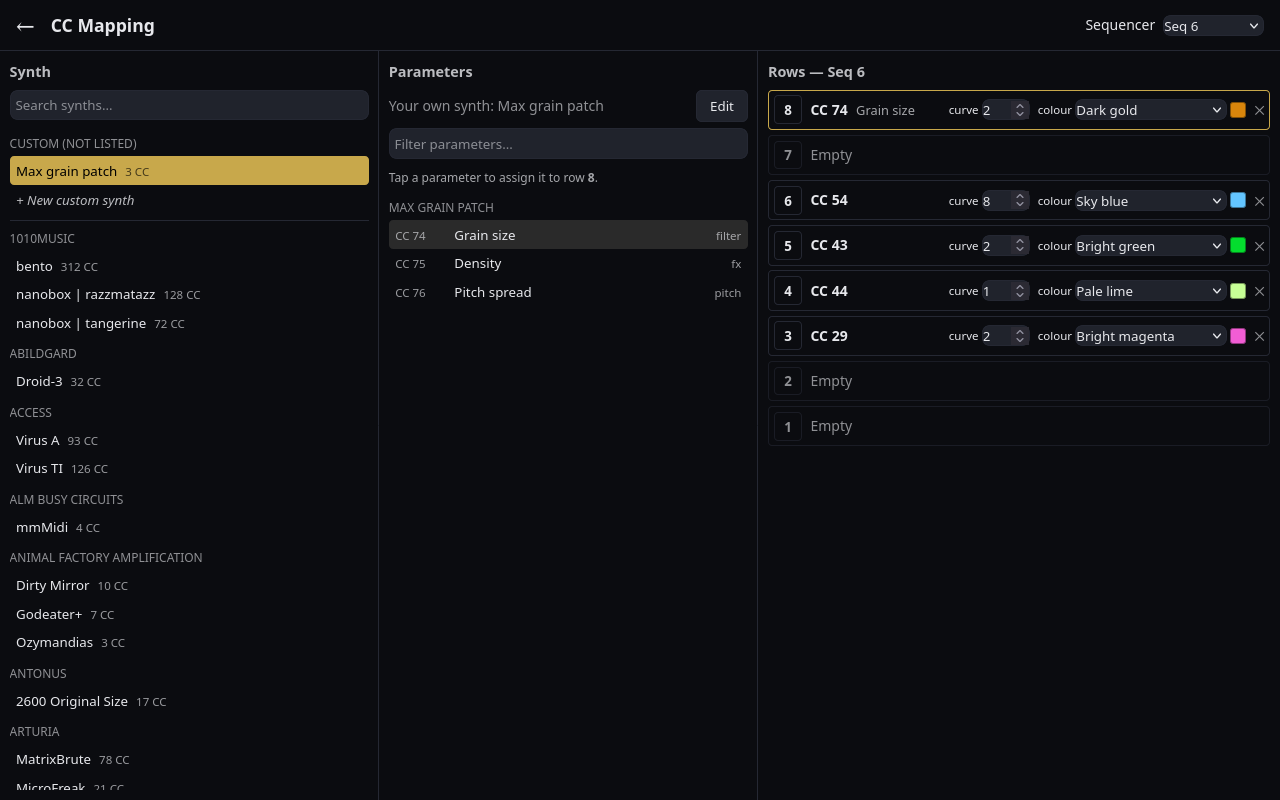
Your synth then sits under Custom (not listed). Select it and tap a parameter to fill the target row, as with any other synth.
Assignments and custom synths are stored on the Pi, not in sessions: every browser sees the same ones, and a session from another rig plays your CCs rather than theirs. If you edit the configuration file by hand, the page offers to re-import it.
The bundled database is the MIDI Guide dataset by Pencil Research, used under CC BY-SA 4.0.
Default CC arps
These are the assignments for the instruments on our rig, a worked example of a finished mapping. Nothing in MSEQ cares that sequencer 6 is an NTS-1, only that row 5 of sequencer 6 sends CC 43.
Sequencer 2: Prophet A
| Row | CC | Parameter |
|---|---|---|
| 8 | 107 | Velocity → Filter |
| 7 | 23 | Glide |
| 6 | 12 | FX 1 |
| 5 | 13 | FX 2 |
| 4 | 30 | OSC1 Shape Mod |
| 3 | 31 | OSC2 Shape Mod |
| 2 | 25 | OSC2 Fine |
| 1 | 9 | OSC Slop |
Sequencer 3: Prophet B
Identical CC assignments to Prophet A (sequencer 2).
Sequencer 6: NTS-1
| Row | CC | Parameter |
|---|---|---|
| C | 54 | OSC Shape |
| D | 43 | Filter Cutoff |
| E | 44 | Resonance |
| F | 29 | Mod FX depth |
Rows A, B, G and H are unassigned.
Sequencer 9: TB-03
| Row | CC | Parameter |
|---|---|---|
| 8 | 74 | Filter Cutoff |
| 7 | 71 | Resonance |
| 6 | 12 | Env Mod |
| 5 | 75 | Decay |
| 1 | 19 | Delay Feedback |
Rows 4, 3 and 2 are unassigned. CC 102 (slide) is handled separately by the TB-03 slide engine.
Sequencer 11: Juno
| Row | CC | Parameter |
|---|---|---|
| 8 | 16 | PWM |
| 7 | 14 | Sq Wave Level |
| 5 | 19 | Noise Level |
| 3 | 3 | LFO Rate |
| 2 | 91 | Delay Level |
Rows 6, 4 and 1 are unassigned.
Sequencer 12: SKULPT
| Row | CC | Parameter |
|---|---|---|
| 8 | 62 | Velocity Depth |
| 7 | 32 | FE Mod |
| 6 | 16 | OSC1 Shape |
| 5 | 17 | OSC2 Shape |
| 4 | 31 | OSC1 Fine Detune |
| 3 | 63 | Note Depth |
| 2 | 13 | Delay Amount |
| 1 | 75 | Transpose |
Sequencer 13: TR-8 Main
Drum CC rows use per-row trig groups: rows controlling the same drum sound share a group.
| Row | Voice | CC | TR-08 Parameter |
|---|---|---|---|
| 8 | HT | 52 | HT Tune |
| 7 | MT | 49 | MT Tune |
| 6 | LT | 46 | LT Tune |
| 5 | SD | 28 | SD Decay |
| 4 | SD | 26 | SD Snappy |
| 3 | BD | 23 | BD Decay |
| 2 | BD | 21 | BD Tone |
| 1 | BD | 20 | BD Tune |
The three BD rows (3, 2 and 1) share one trig group, and so do the two SD rows (5 and 4): a hit on any row of a group advances the whole group’s arps together. The tom rows (8, 7 and 6) each have a group to themselves.
Sequencer 13: TR-8 Alt
| Row | Voice | CC | TR-08 Parameter |
|---|---|---|---|
| 8 | CB | 87 | CB Decay |
| 7 | CY | 84 | CY Decay |
| 6 | OH | 81 | OH Decay |
| 5 | CH | 62 | CH Decay |
| 4 | CP | 59 | CP Decay |
| 3 | CP | 58 | CP Tune |
| 2 | RS | 56 | RS Decay |
| 1 | RS | 55 | RS Tune |
Cross-references
- CC arps: writing CC arps, the grid, the edit gestures and how values are scaled
- Slew and CC smoothing: smoothing what these rows send
- Drum views: the drum sequencers, whose CC rows are grouped per voice